When we use TPPlay, most days everything goes well; the app opens easily, games load quickly, and we enjoy
playing. But sometimes, minor issues can arise. The app might crash, your payment might take a while, or you
might not be able to open a game. In those times, it's helpful to know someone is there to guide you.
That's why the TPPlay customer support team exists. They're real people who listen to your problems and help
you fix them step-by-step. You don't need to be a tech expert to ask for help. Just tell them what's wrong,
and they'll take care of the rest.
On this page, we'll show you how to contact the TPPlay support team, what kind of help you can get, and some
tips to fix your problem quickly. Let's first understand why customer support is important.
What is the Need for Customer Support?
We all enjoy using TPPlay Game when everything works well. Sometimes,
things don't go according to plan.
That's where customer support becomes essential.
Why TPPlay Customer Support is Important:
Fast Troubleshooting: They help fix problems quickly so you can get back to playing.
Guidance for every problem: You don't have to guess what went wrong; the team explains it clearly.
Save Time: No more spending hours trying to figure out a problem alone.
Peace of Mind: Knowing real people are ready to help makes using TPPlay safer.
Support for All: Whether it's small or big, account-related or game-related, they're there.
Customer support isn't just about fixing problems; it's about making your experience with TPPlay easy, safe,
and worry-free.
How Can You Contact the TPPlay Customer Support?
If you're having trouble with the TPPlay app, don't worry. You can always contact TPPlay game customer
support for quick help, whether you're logged in or not.
Method 1: Before Registration/Login
If you face any problem in registration or login, you can easily contact customer support from there.
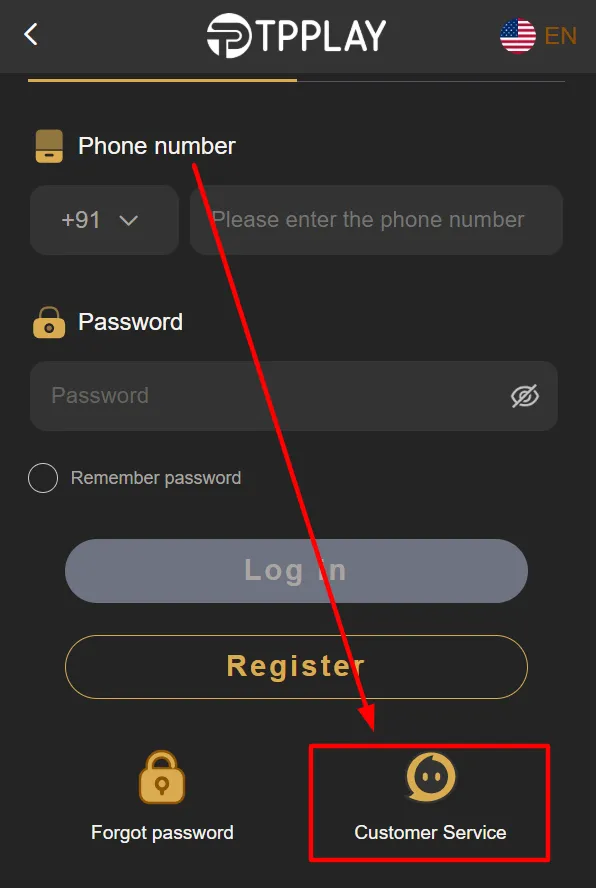
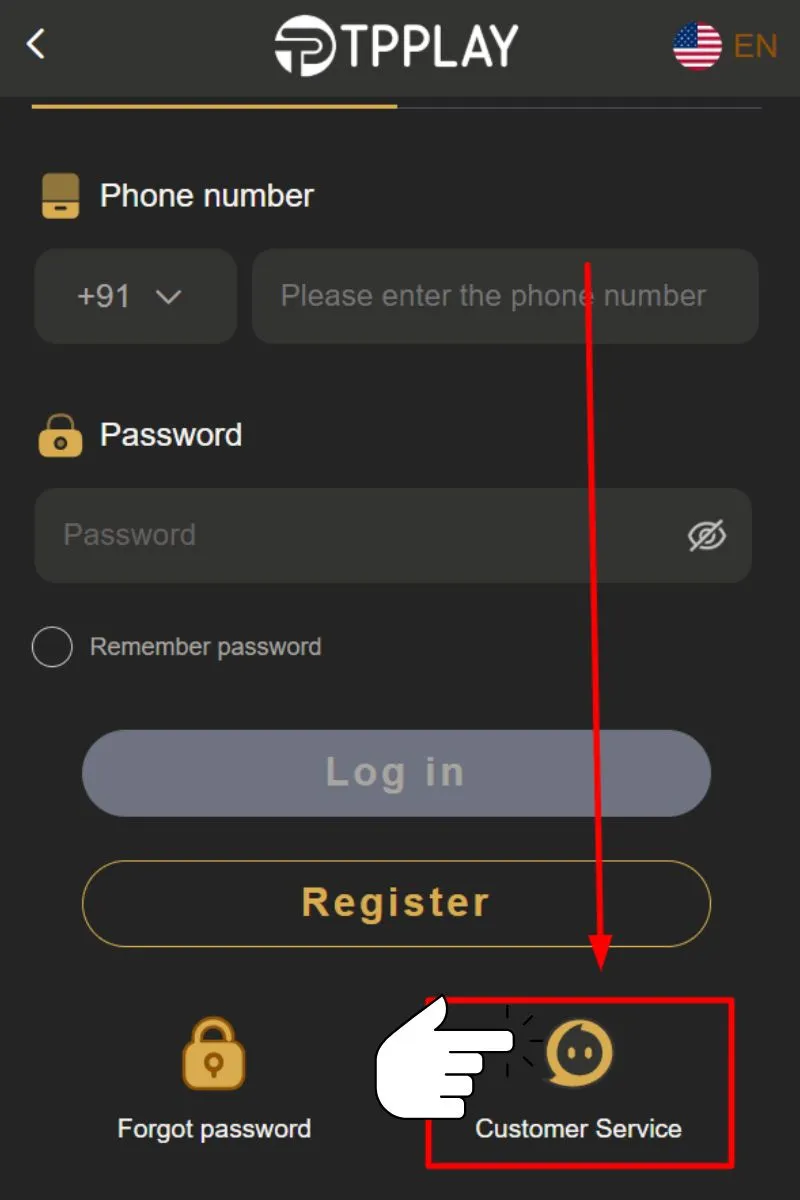
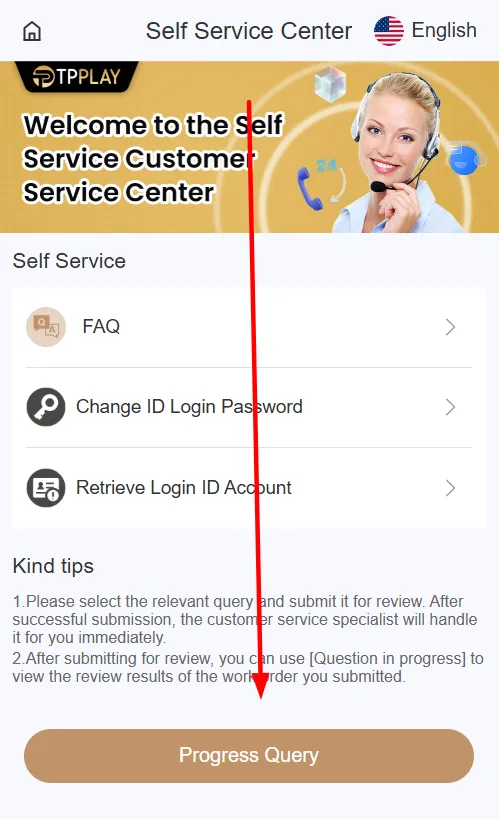
Scroll down on the login page.
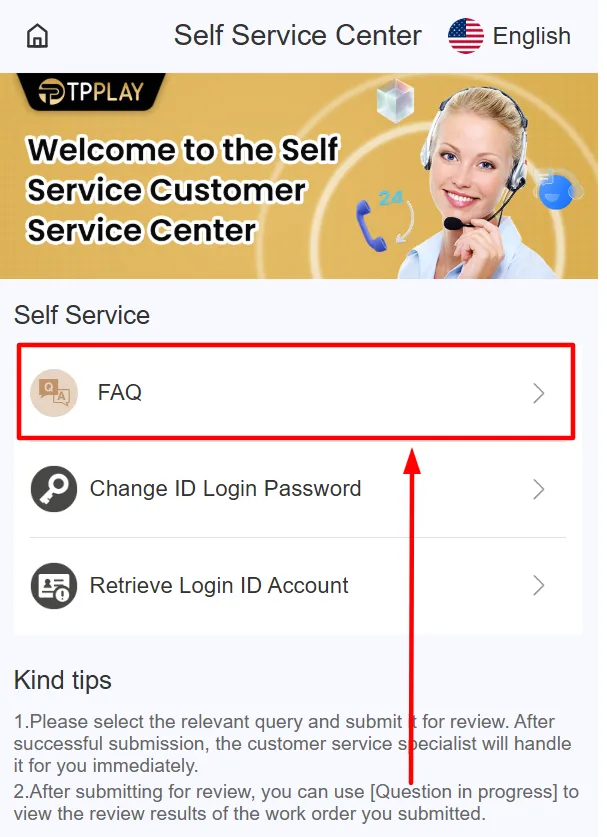
Tap on the “Customer Service” option.
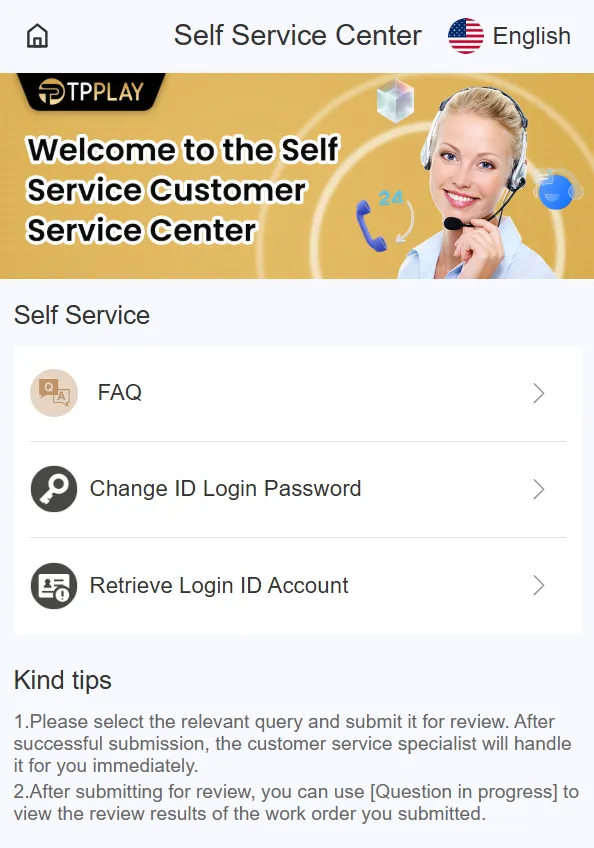
This will open the Self-Service page.
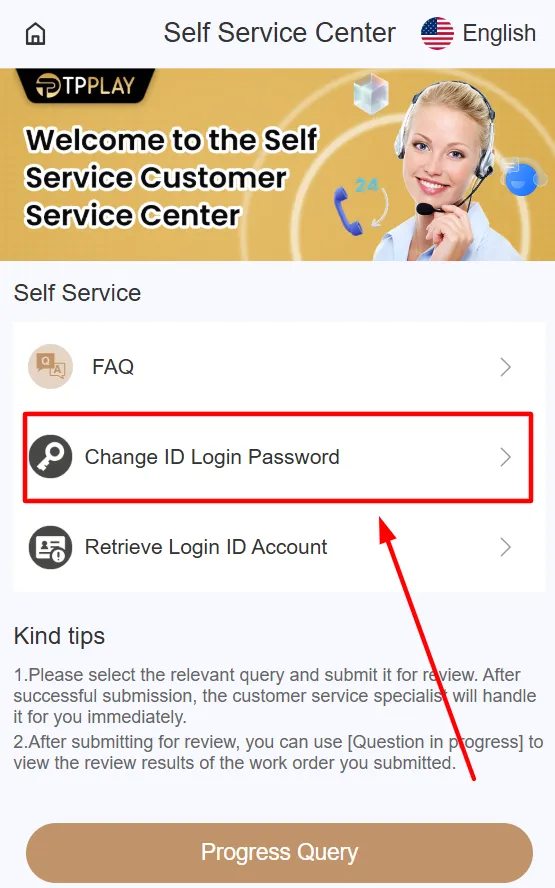
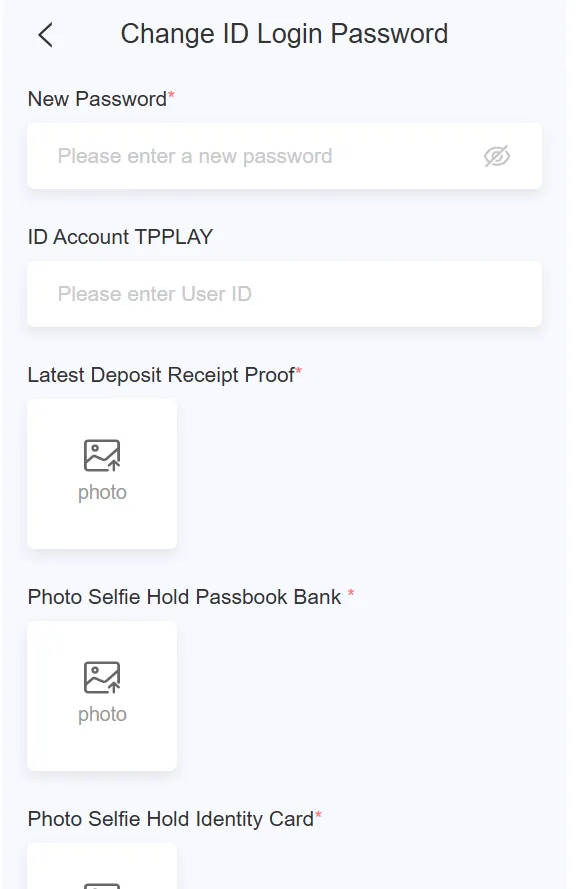
You can select the specific problem you’re facing. For example, choose “Change ID Login Password” and
click on it.
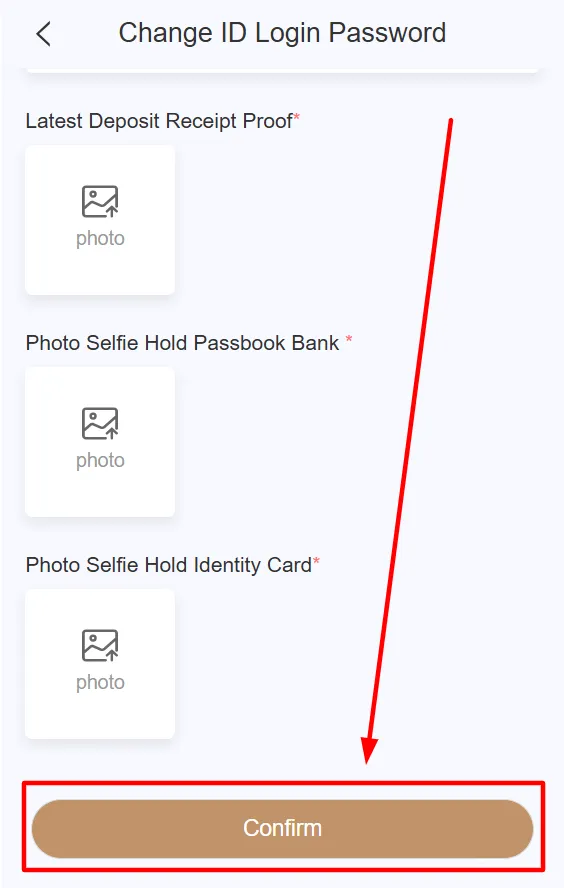
A new page will open where you need to enter the details related to your issue. After adding all the
details, check everything carefully.
Once everything is correct, click the “Confirm” button to submit your request.
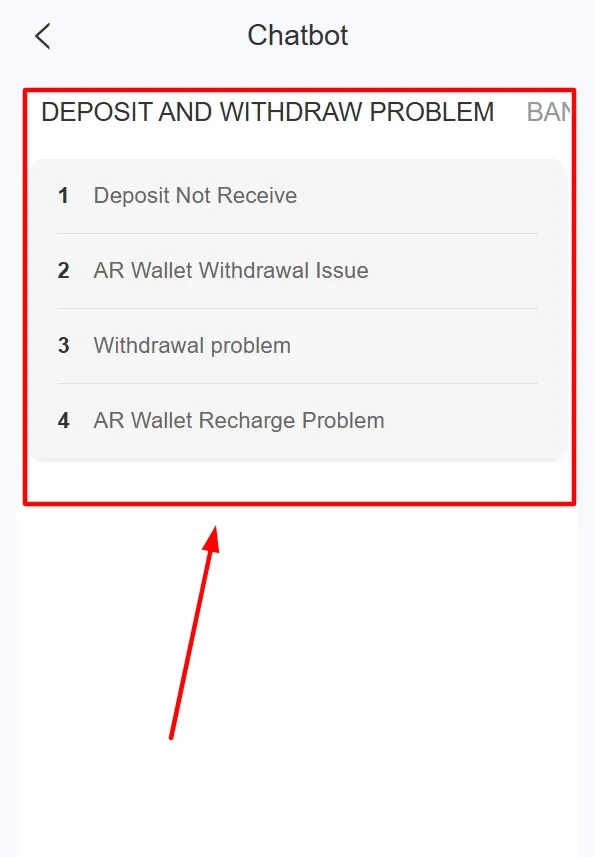
Check FAQs for quick answers.
If your issue is not in the FAQs, select a matching problem option.
You can proceed with your query by adding your account ID or username.
The support staff will respond within a few minutes and resolve your issue as quickly as possible.
Method 2: After Registration
If you're having trouble depositing or withdrawing money, or have questions about changing your ID, payment
details, or other settings, you can contact customer support in the app. There are two ways to get in touch:
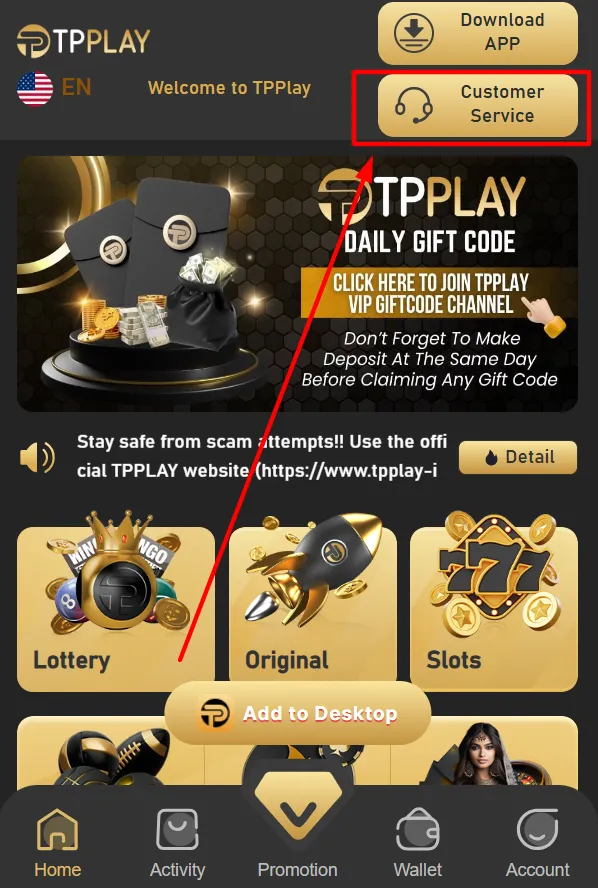
1. From Homescreen
The Self-Service page is available by tapping the Customer Service icon in the upper-right corner of the home
screen. You can view common solutions in the FAQs, or submit a query for issues you can't resolve.
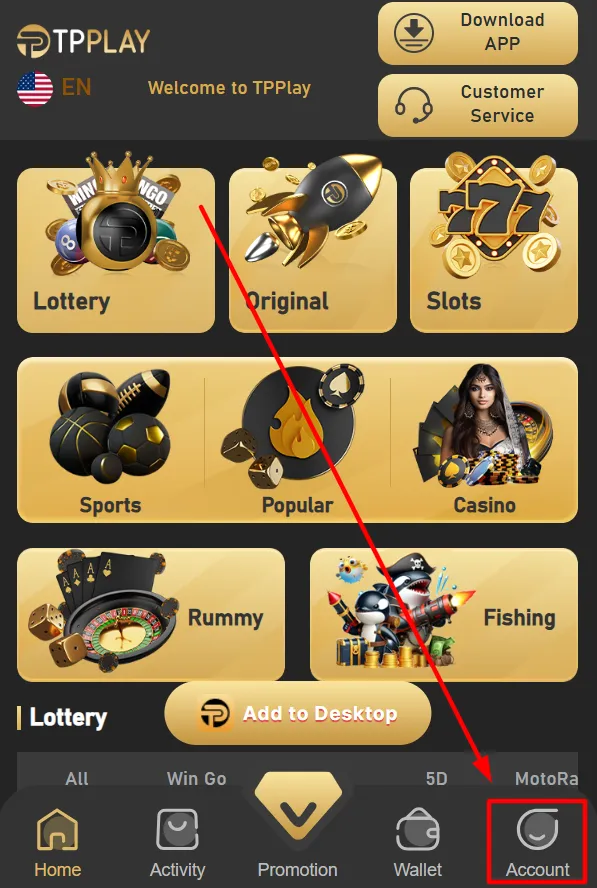
2. From Account Section
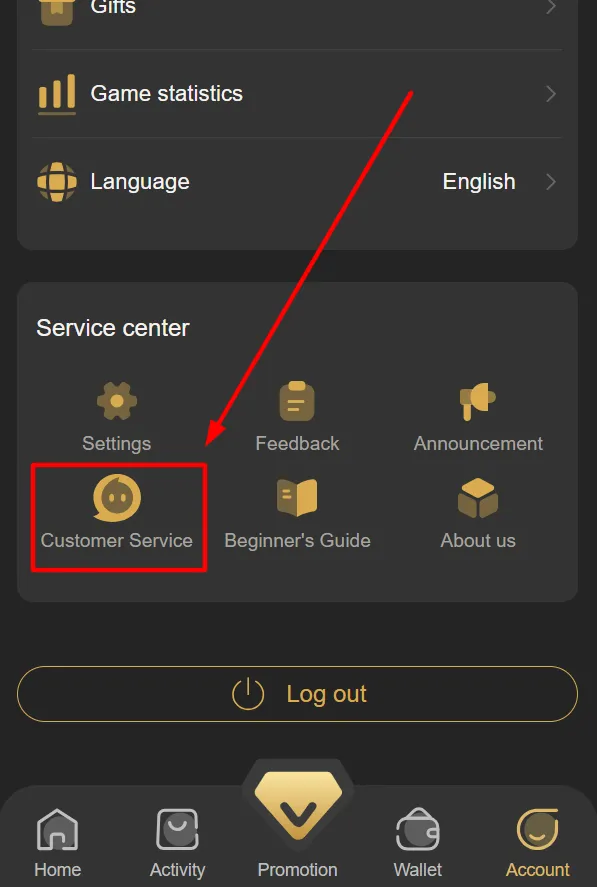
Step 1: Go to the “Account” section on TPPlay.
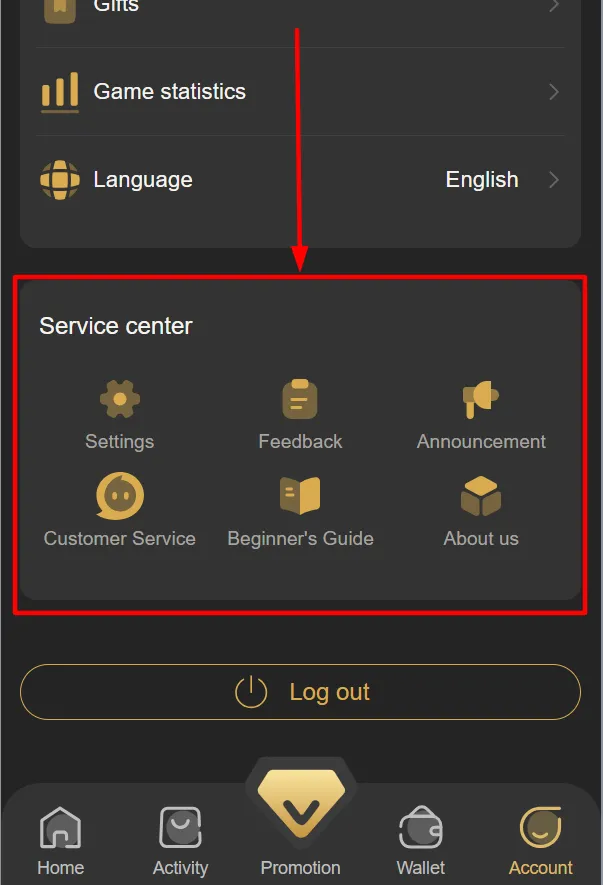
Step 2: Scroll down to the bottom of the page to find “Service Center.”
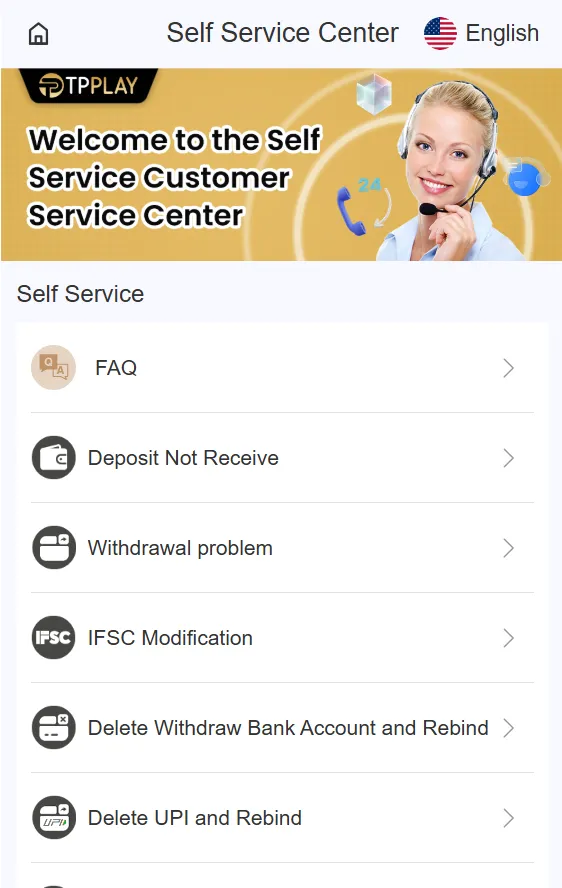
Step 3: Here, you’ll see “Customer Service.” Click on it.
Step 4: Browse the options and select the best match for your needs. It offers more options than the
Customer Service page that appears before login.
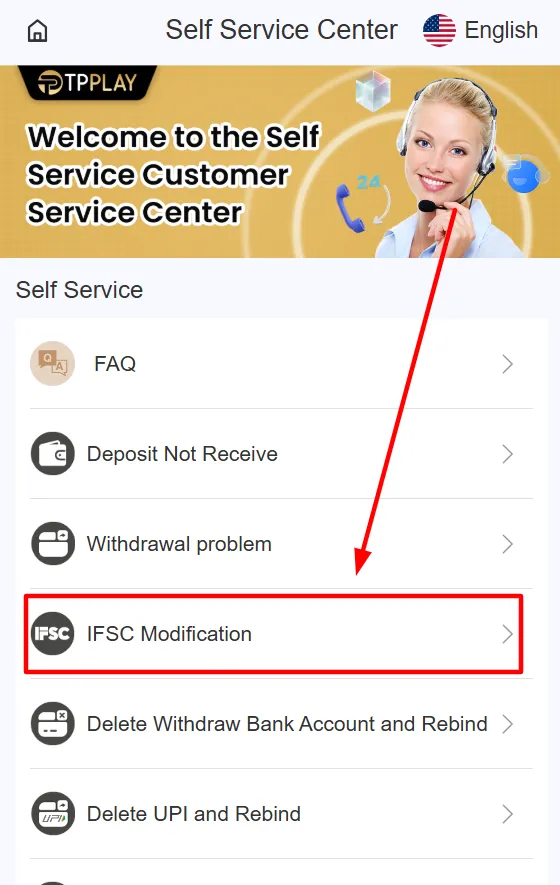
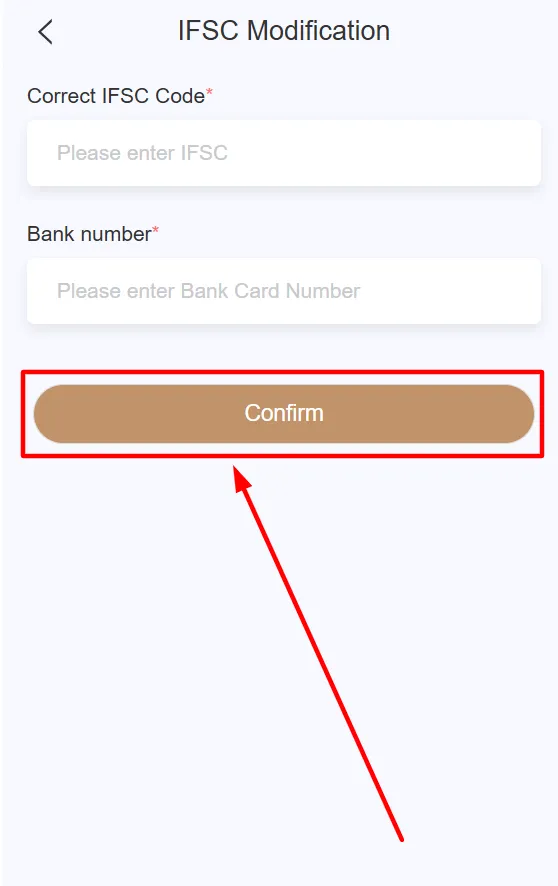
Step 5: For example, if you have an “IFSC Modification” issue, click on that option.
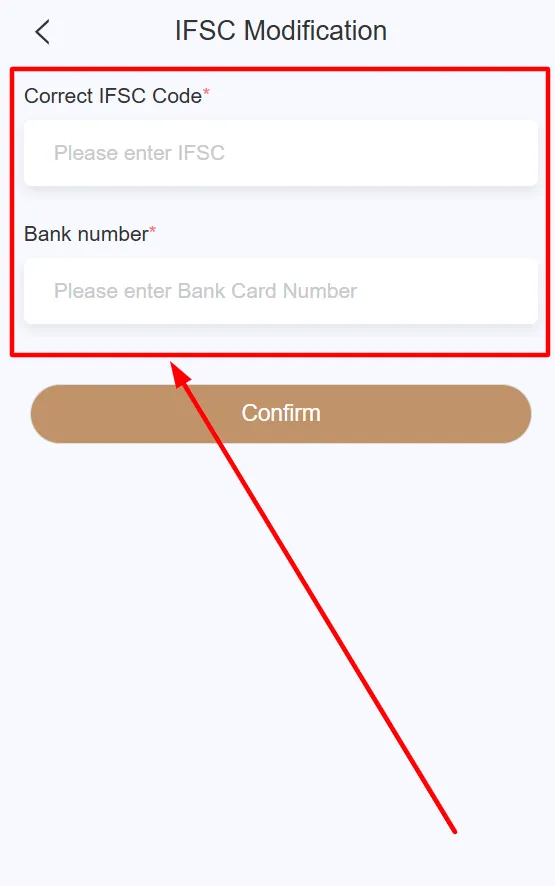
Step 6: A new screen will open where you need to enter the required details.
Step 7: After entering all the details, review them carefully and press the “Confirm” button. Your
request will then begin processing.
As before, you can browse the FAQs or submit a query to connect with a support agent for personalised
assistance. This will help simplify the process if you are facing any issues with unlocking your TPPlay
account.
What Are the Issues That TPPlay Customer Support Can Help You With?
Sometimes, when you are playing TPPlay, some minor or major issues can ruin your gaming experience. The
customer service assists you with most of these problems. The most typical issues that they can help with
are listed below:
The TPPlay free recharge offers are subject to
terms and conditions. If you meet all requirements and
still don’t receive it, contact support for help.
Issues with registration or login.
Delayed or failed transactions.
Games like TPPlay Aviator Game lag, do not load, or display an error.
Rewards from codes like TPPlay gift code are not showing up.
App freezing, crashing, or experiencing errors during play.
The customer support assists you and hears your problems patiently to be able to solve them at the earliest.
You do not need to worry; just contact them and let them do their best for you. If you need help with some
problems, you can also connect with a TPPlay Teacher who can help
you with your issues.
Some Tips to Get a Fast Solution on TPPlay Support
Just follow these simple steps if you want your problem solved fast by the TPPlay support:
Explain the problem in simple words. As an example, my TPPlay Colour Trading game did not open in a
simple and understandable way of saying.
Provide your details. Share your TPPlay ID, registered phone number, or email so that the team can
easily find your account.
Attach screenshots, if required, and share a photo of the issue with the support.
Be polite and patient. The team handles hundreds of requests each day and needs time to solve each
issue.
If you are having trouble logging in, it may be due to the TPPlay
Invite Code. You need this code to log
in successfully.
These are the easy steps that can help you get a quicker resolution and play TPPlay once again.
Things to Remember Before Contacting the TPPlay Customer Support
When reaching out to customer care, remember to use the following points to make the process faster and
better:
Check Your Internet Connection: A slow or disconnected network is a source of many problems. Make sure
that you have an active internet connection.
Update the App: The usage of an outdated version of TPPlay will lead to errors. Always have the latest
version of the app.
Read FAQs First: You might have the answer to your problem in the FAQs section. Checking it can save you
time.
Write Simple and Clear Messages: Explain your problem in short, easy sentences. Avoid long stories as
the support team can help faster this way.
Have Your Details Ready: Keep your TPPlay ID, phone number, or email handy. Mention the game or feature
involved, like TPPlay Colour Prediction or TPPlay invite code issues.
Keep in mind that there is customer support, and it is ready to assist you. This way, it is easier to help
them provide you with help as fast as possible. If you face any issues with the TPPlay Gift Code, you can
contact support for help. The team will guide you and fix the problem quickly so you can continue smoothly.
Conclusion
TPPlay support is available 24/7 for you, whenever something goes wrong or you face issues with
the platform. They help you resolve glitches within the app, delayed payments, problems with
login, and anything you come across.
It takes only a few simple steps to reach out to the customer support and for them solve the
problem faster. Explain your issue in simple words, provide correct and complete information,
and be patient while they handle the rest.
With TPPlay customer support, you don’t have to worry when issues come up. You can focus on
enjoying your games without stress, knowing help is always just a message away.
Frequently Asked Questions
The customer support is available within the platform, before and after entering the
platform. Select the most convenient approach for you, and straightforwardly explain your
problem.
Usually, the support responds within a few minutes to hours, depending on the rush hour,
holidays, and other circumstances. Be clear about your problem to receive a fast solution.
Check your internet and app version first. If it is still not opening, you should contact
the customer support immediately.
Yes. If you forget your password or are facing issues with the login, then you should
contact the customer support, and they’ll help you step by step.
Support can check your account and payment details. Explain your issue clearly and provide
your TPPlay ID to speed up the process.
Support can help if your reward or gift code does not work. Share the code and your account
details so they can verify it.
Yes. Support handles all game-related problems. Tell them which game is giving trouble, and
they will guide you to fix it.
Yes, screenshots make it easier for the team to understand the problem and solve it faster.
Always attach one if possible.
Yes. Support can guide you to fix freezes, crashes, or any other technical problems in
simple steps.
Keep your TPPlay ID, registered phone number or email, and a brief description of the
problem. This helps the team solve your issue quickly.